Electron AI Browser
A unified workspace for managing multiple AI conversations with local history archiving
Electron AI Browser
A unified desktop workspace that aggregates AI services and automatically archives conversation history.
Background (Why)
This project started as an assignment for my Information Retrieval course in late 2025. The prompt was open: build a simple search engine. Most students were building standard web crawlers, but I wanted to try something different. I thought, “Why not treat my own AI conversations as the dataset worth searching?”
My initial idea was a browser extension, but I discovered a product called chatmemo had already beaten me to the punch. Determined to make something distinct, I pivoted to a standalone desktop application. This was right before I fully committed to AI-driven independent development—a transitional project where I was still testing the waters.
What I Built (What)
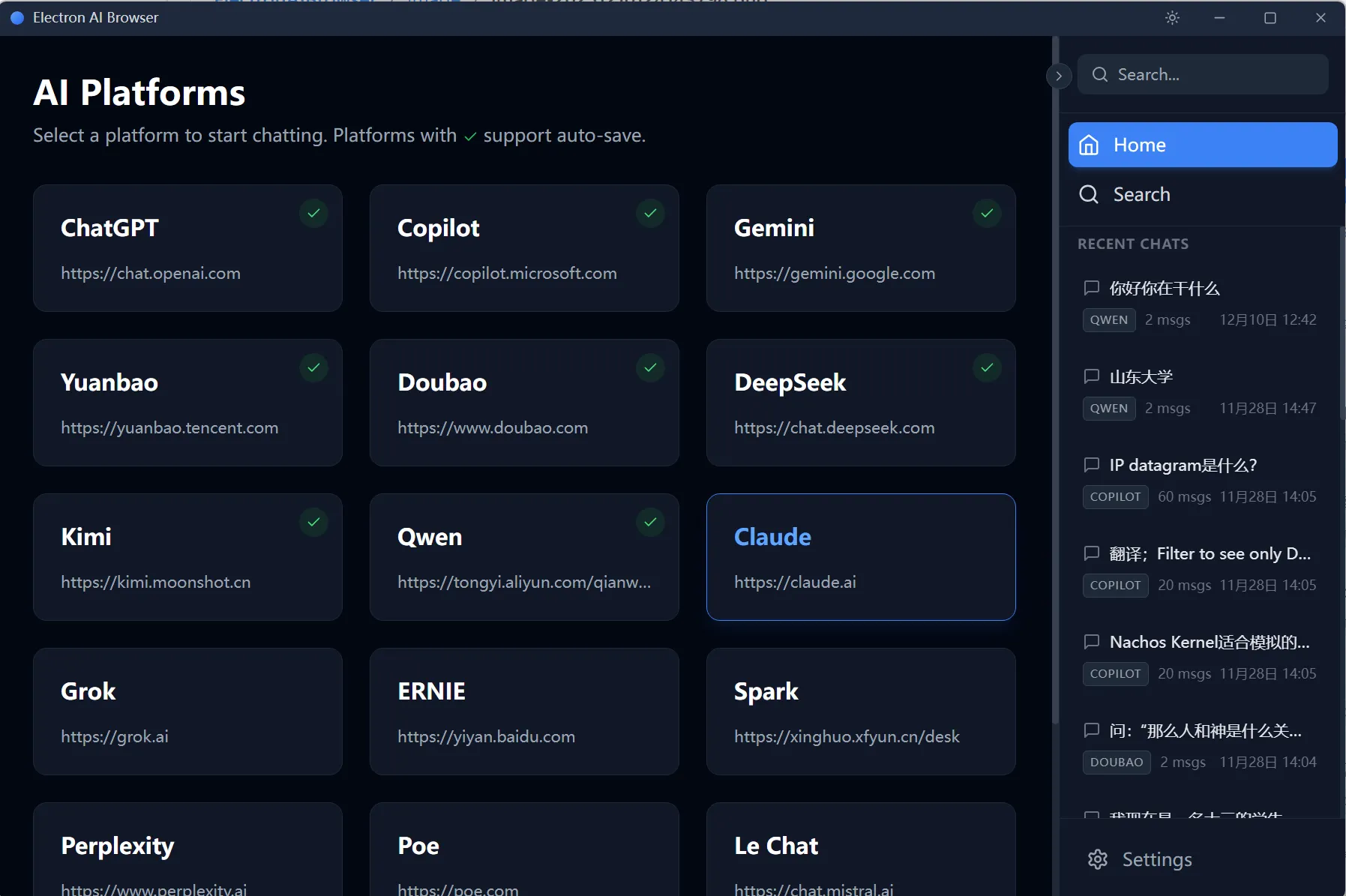
I built an Electron-based “wrapper browser” designed specifically for AI interaction. The core concept was simple:
- Unified Interface: A homepage acting as a launchpad for various AI services (ChatGPT, Copilot, etc.).
- Auto-Archiving: The “secret sauce” was a script injection system. It would silently scrape the chat content as I typed and received responses, saving everything to a local database.
- Searchable History: A dedicated search interface allowed me to query across all my past conversations, regardless of which platform they happened on.
The entire project was built in about 4 days using Electron.
Outcome (Result)
I handed the app to a friend for a “beta test.” The feedback was brutal but honest: he stopped using it almost immediately.
The reason was simple friction. Switching away from his browser to a dedicated app just to chat with an AI was one step too many. A browser tab is simply more convenient. Additionally, maintaining the injection scripts for constantly changing AI platforms would have been a nightmare.
I stopped maintaining it after the course ended. However, to my surprise, the repository quietly gathered two stars on GitHub by January 2026.
Key Takeaways
The biggest lesson here was about user habits. Innovation needs to happen where the user already is. Trying to force a user to leave their familiar environment (the browser) for a standalone app—without offering a massive upgrade in utility—is a losing battle. If I were to do this again, I would swallow my pride and build the browser extension, chatmemo clone or not.
Current Status
- Status: Archived
- Recommendation: Not recommended. The platform-specific scraping scripts are likely broken by now due to UI updates on the host sites.
- Future: No plans to revive.